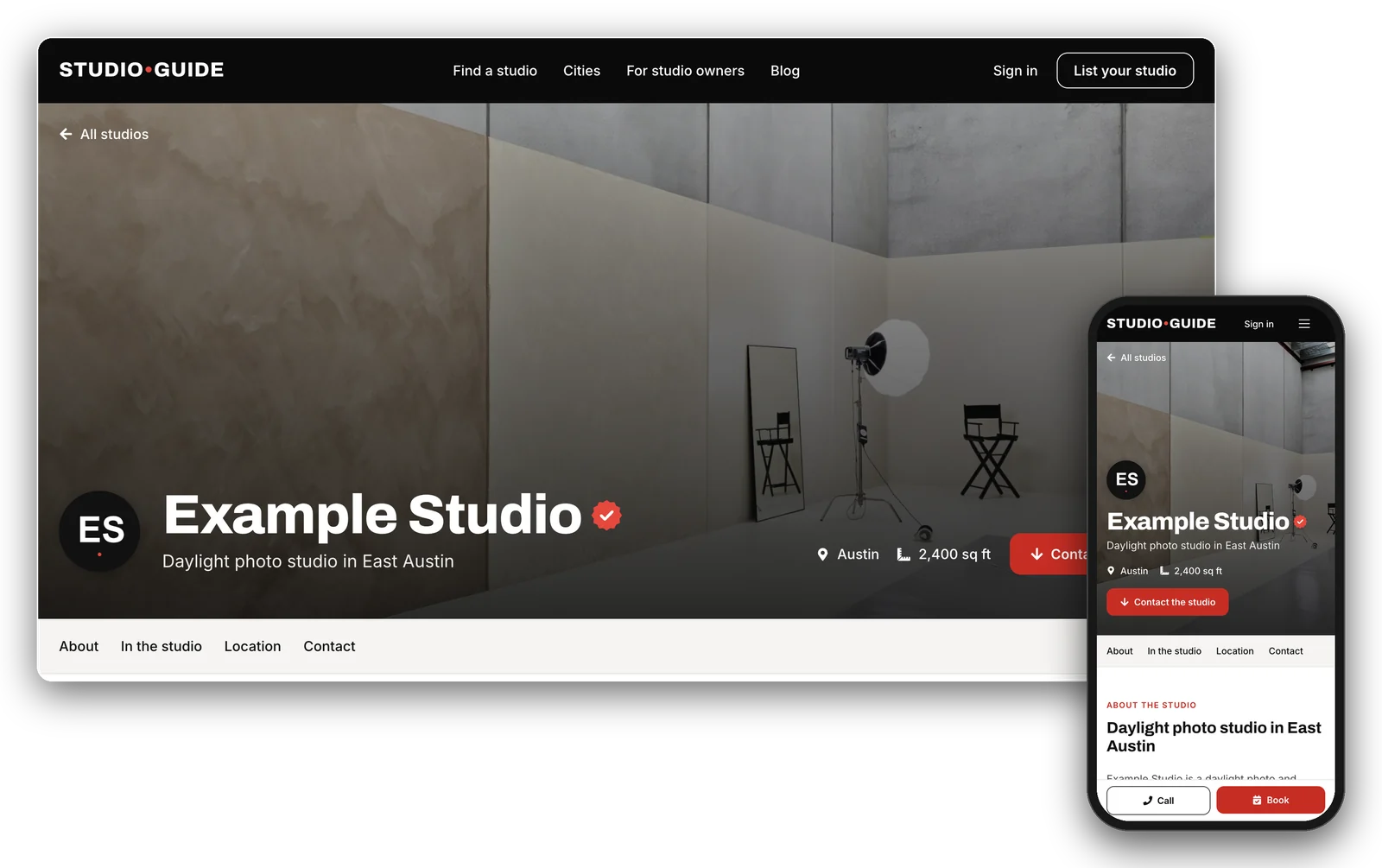
Studio.Guide is a directory of photo studios, sound stages, podcast rooms and event spaces for rent. Pay one flat fee a year, and everyone who wants to book goes straight to your own booking page.
Marketplaces can bring in clients, but they charge for it on every booking, and they stand between you and the people who book you.
A commission on every booking
Booking marketplaces take a percentage of each booking, from you, your client or both. The more you are booked, the more you pay.
One more calendar to keep in sync
Every platform has its own calendar. Miss an update and you risk a double booking.
Fees in your prices
To cover the commission, your rates go up on the platform or your margin goes down. Either way, the fee comes out of the booking.
Clients who aren't yours
The platform handles the conversation and the client’s details, so repeat clients tend to book through it again, fees and all.
How Studio.Guide works
One flat yearly fee. No commission. No middleman.
Studio.Guide is a directory, not a booking platform. People find your studio here, then book with you directly: on your booking page, by email, by phone or on your website. We never take bookings or payments, so we never take a cut.
One flat yearly fee
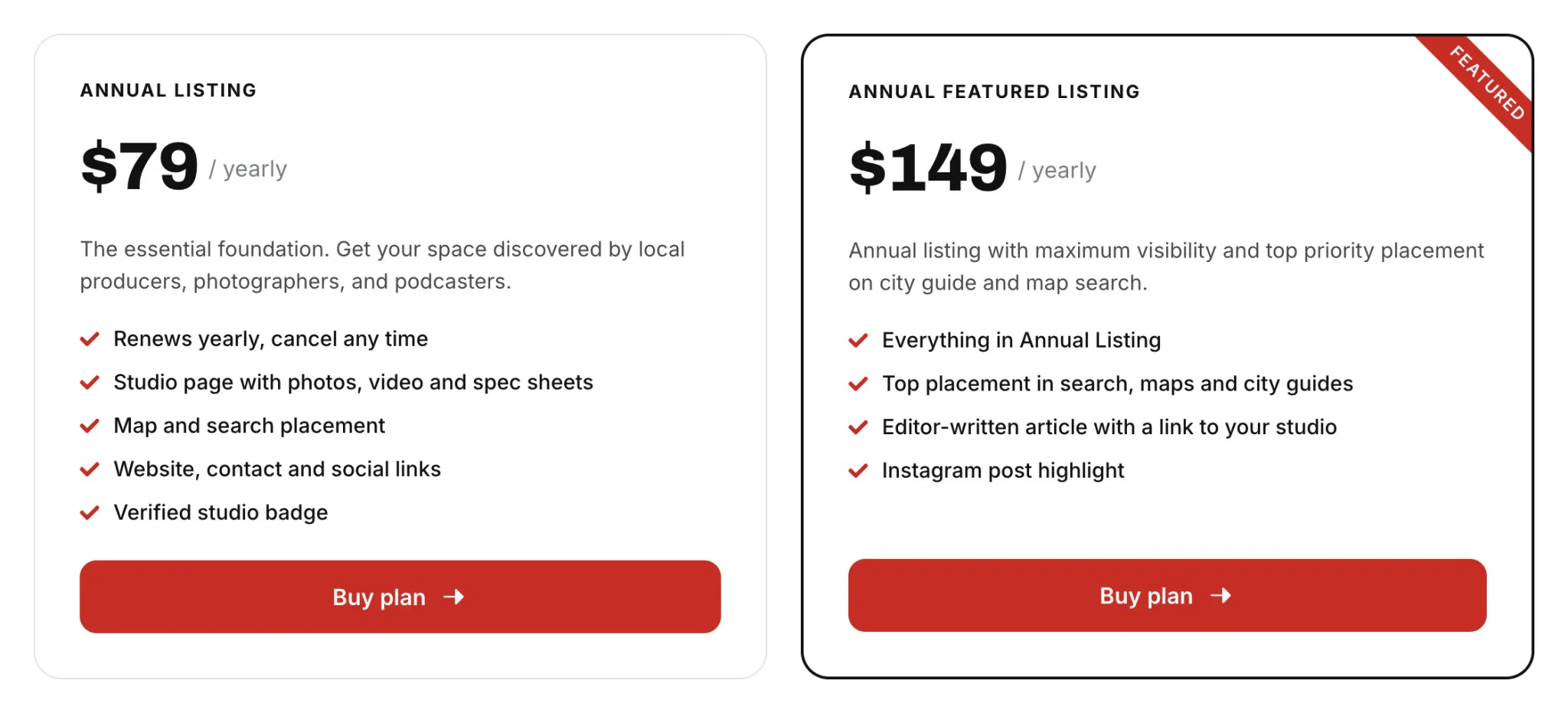
$79 a year for Annual Listing, or $149 for Annual Featured Listing. That is the whole cost, however many bookings you get. At a typical marketplace commission, it can be less than the fee on a single booking.
Your own booking page
The Check availability button on your profile opens the booking page you already use, on your website or your booking platform. No second calendar and no conflicting bookings.
Better margins
With no commission, you keep the full rate on every booking, so you can stay competitively priced.
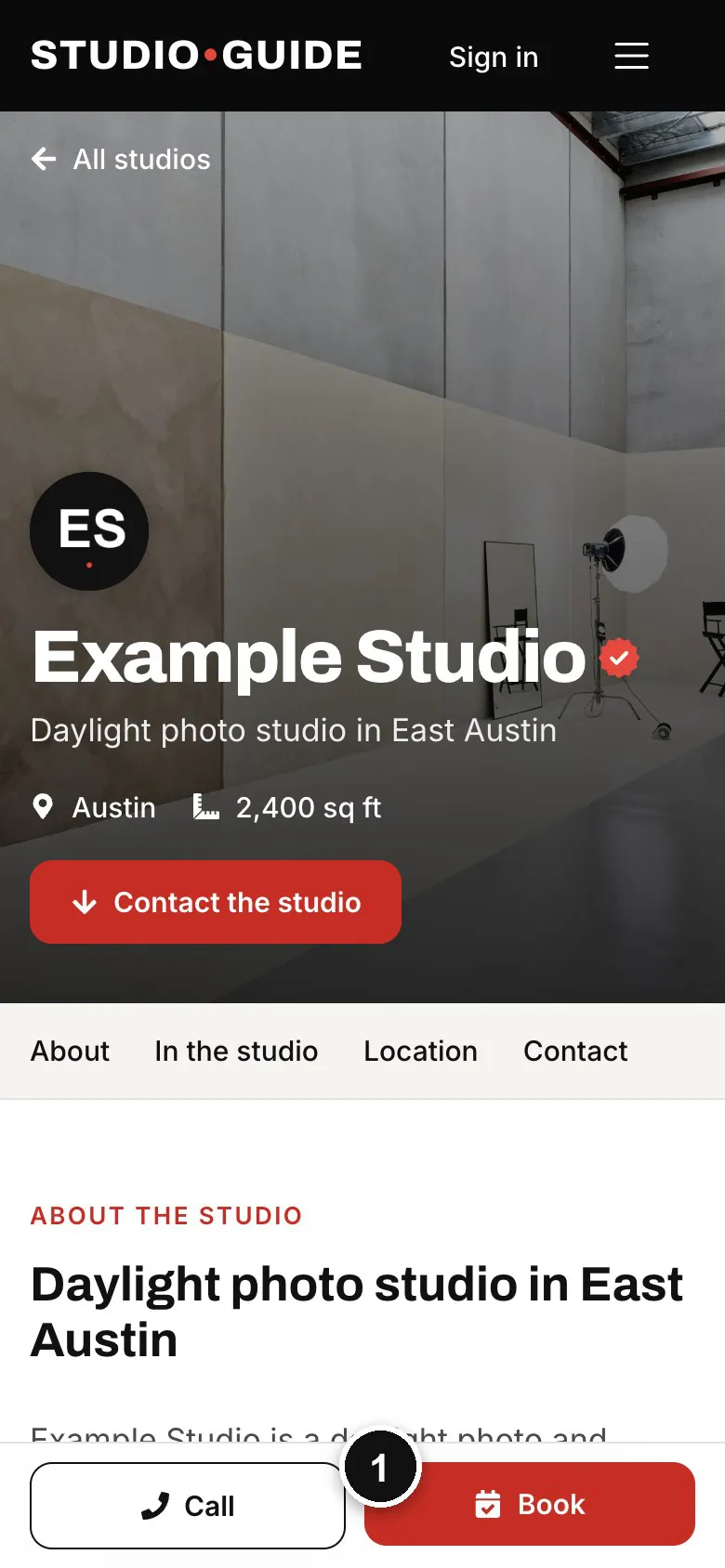
1
Book and Call
On phones they stay at the bottom of the screen. Book opens your booking page.
Booking marketplace
Studio.Guide
What you pay
A share of every booking
One flat yearly fee
Where clients book
On the marketplace
On your own booking page
Your calendar
One more to keep in sync
The one you already use
Client contact
Through the platform
Directly with you
Your rates
Raised to cover the fees
Yours, in full
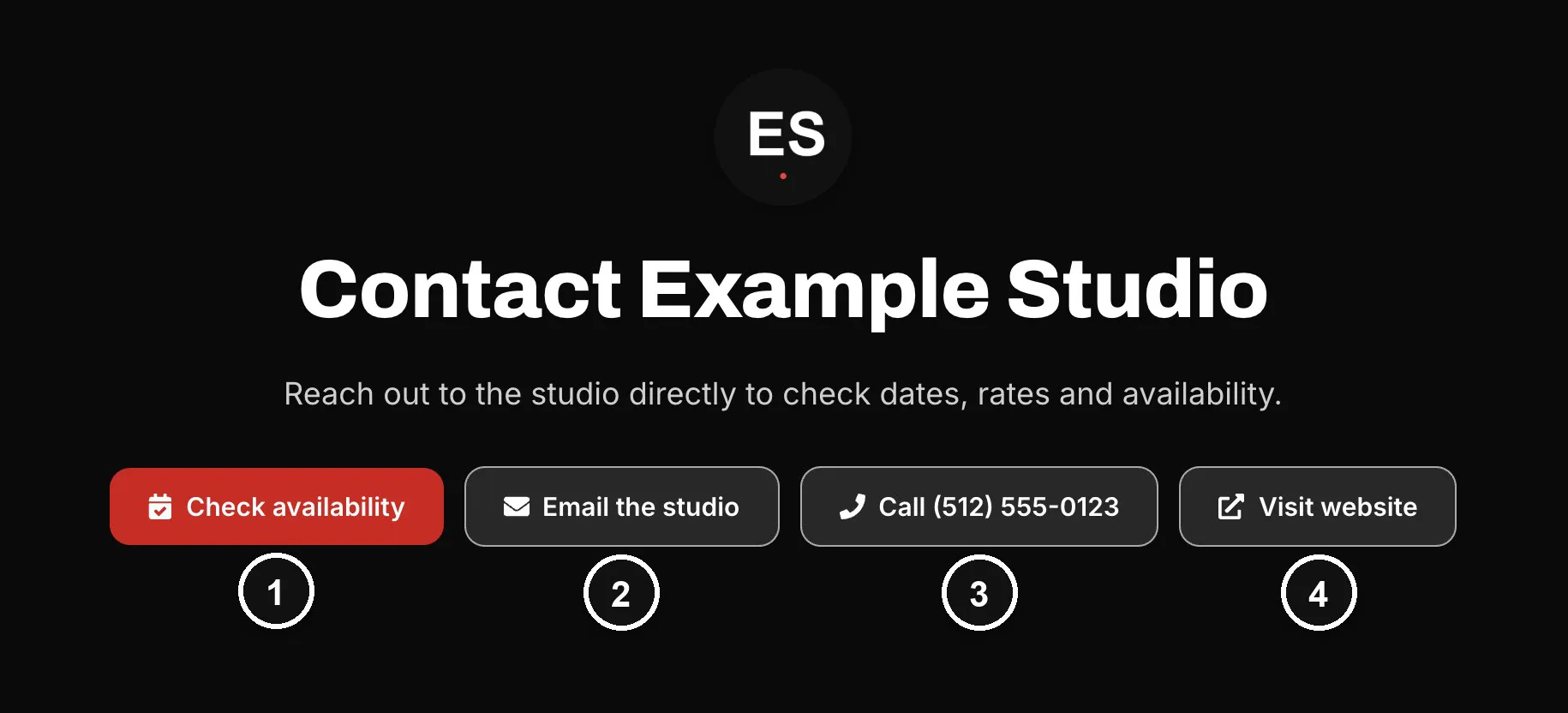
Every button goes to you
1
Check availability
Opens your booking page, on your website or booking platform.
Clients reach you through your own booking page, email, phone and website. There is no new calendar, inbox or payout schedule to keep up with.
Found on search engines
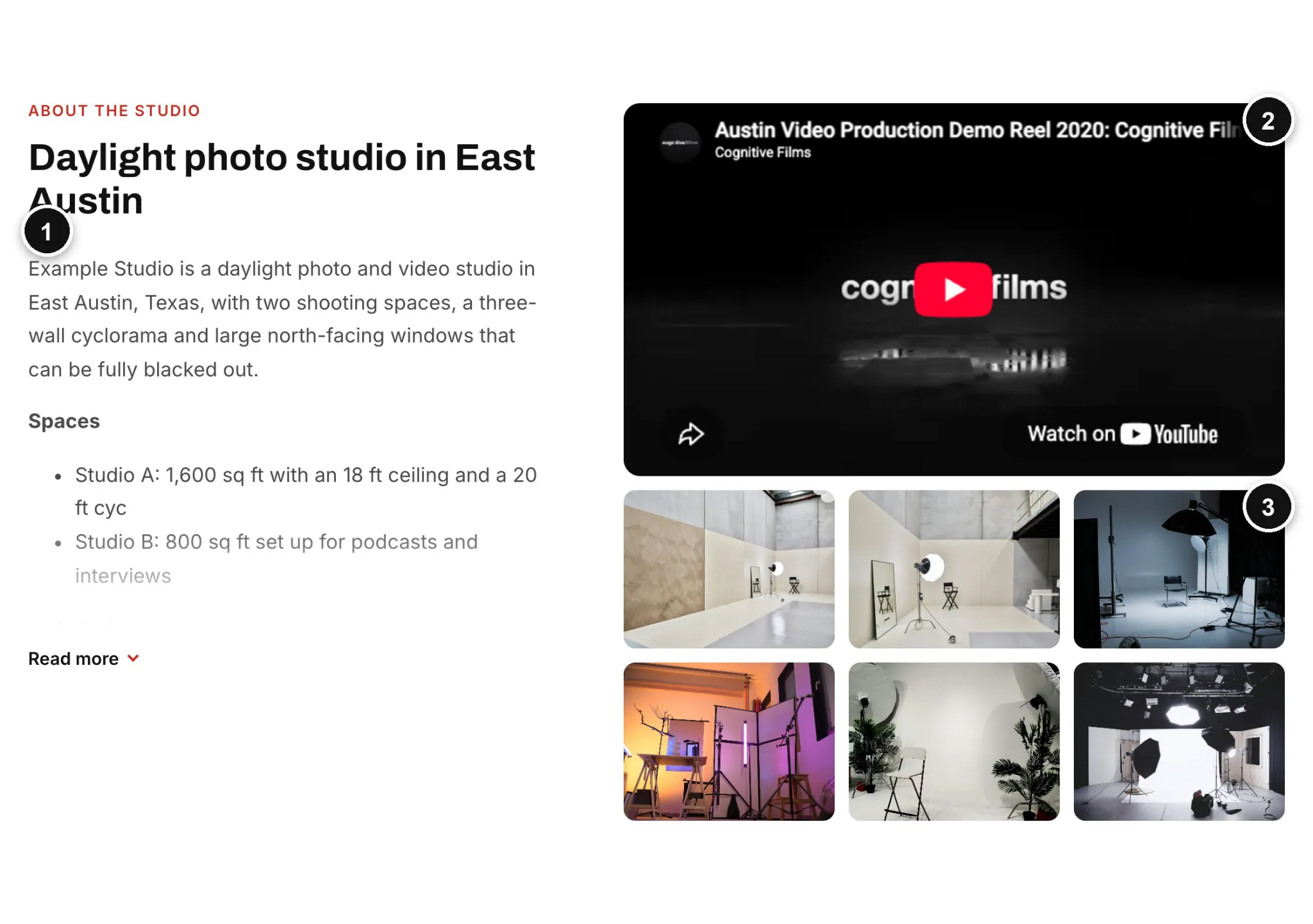
Your studio gets its own search-friendly page, with a clear title and description and structured data that tells search engines what and where your studio is.
In front of people comparing studios
Your studio appears in search results, on the map, on its city page and on studio type pages, where photographers, filmmakers, podcasters and event planners look for space.
Promoted by Studio.Guide
New studios appear under Recently added on the homepage, and we feature studios from the guide in our city guides, articles and social posts.
A verified badge
Every paid listing shows a verified check next to its name, so clients know the details come from the studio.
Page view stats
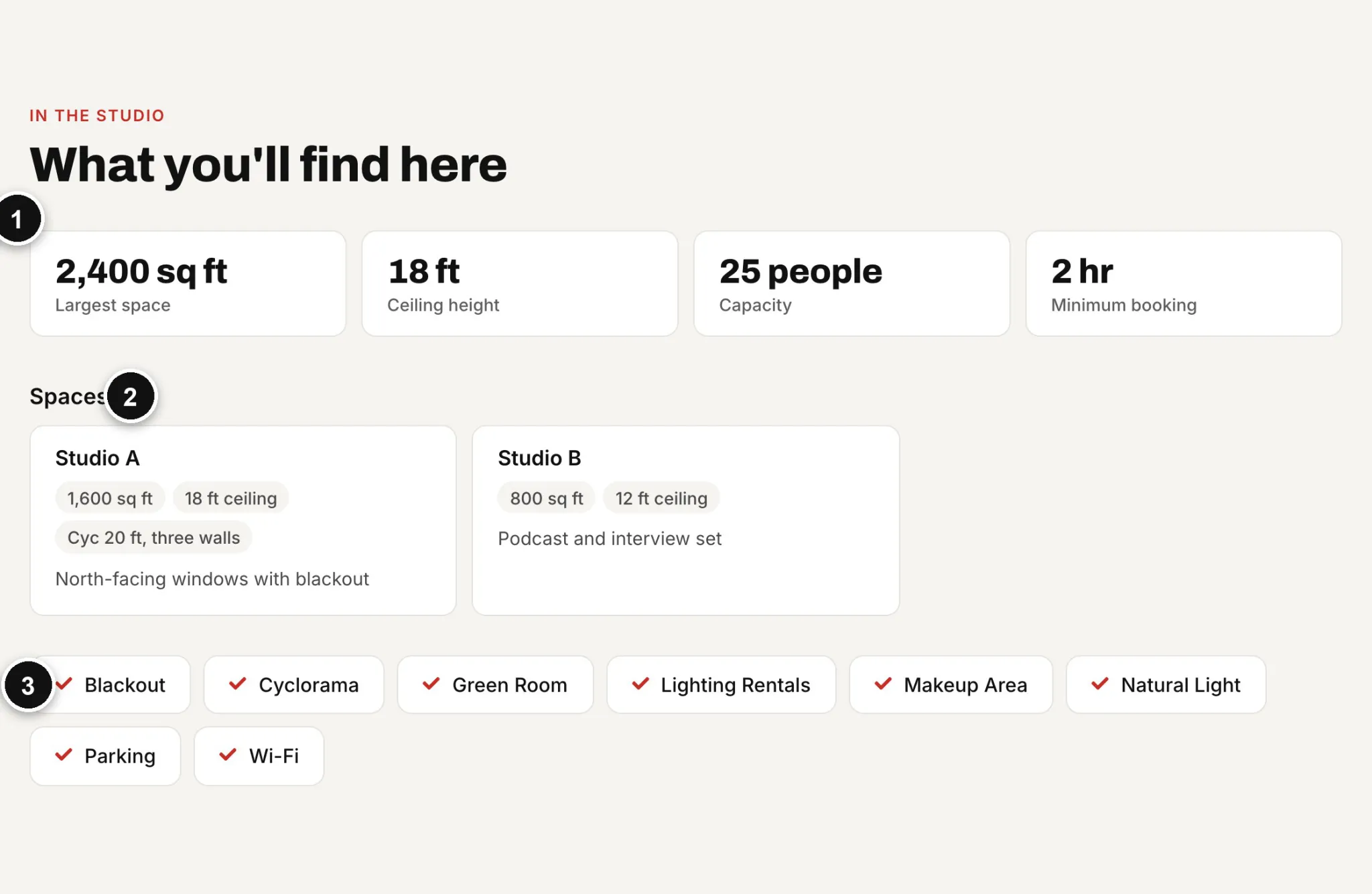
See how many people view your studio page, and which sites, countries and devices they come from.
Studio.Guide lists spaces for photo shoots, film and video, podcasts, music and events. A studio can be listed under more than one type, so it shows up in every search that fits.
Built to be found, on search engines and on Studio.Guide
Search-friendly pages
Every profile has its own address, title and description, plus structured data (schema.org) that tells search engines it is a local business, where it is and how to reach it.
Everywhere people browse
Search results, the map, city pages, studio type pages and Recently added on the homepage.
Promoted by us
We feature studios from the guide in our city guides, articles and social posts.
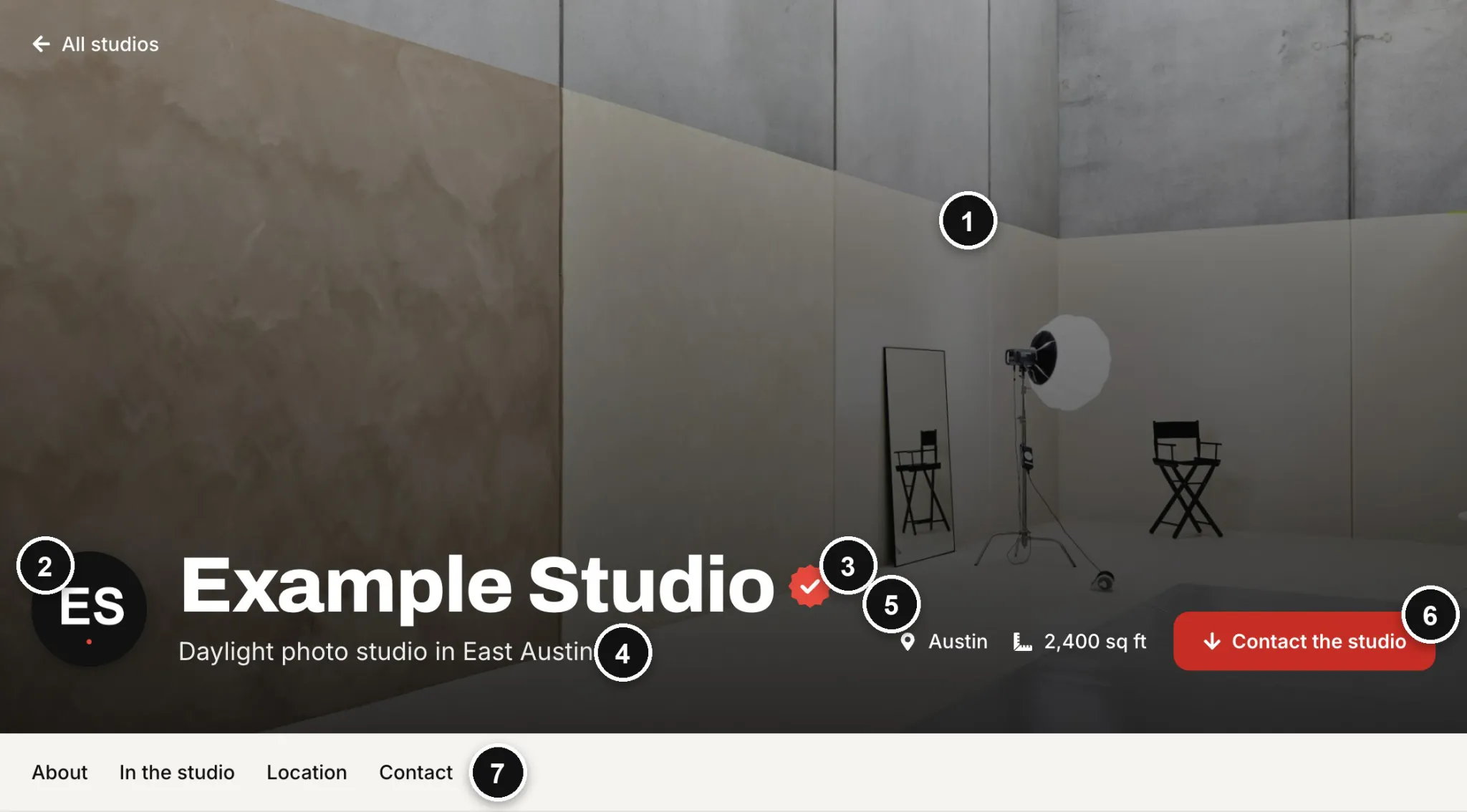
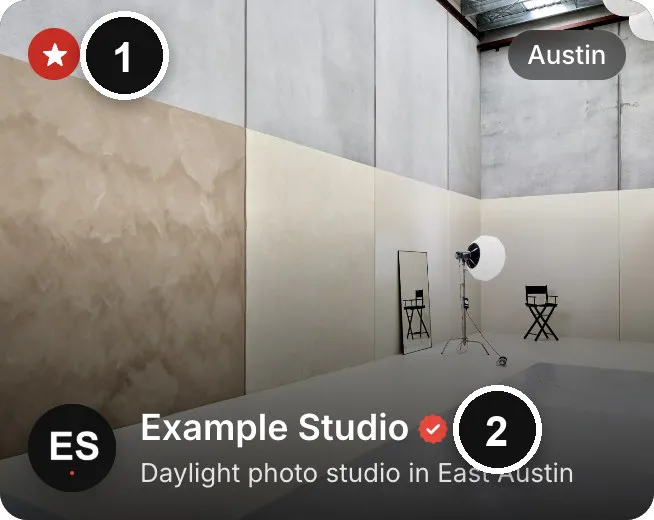
1
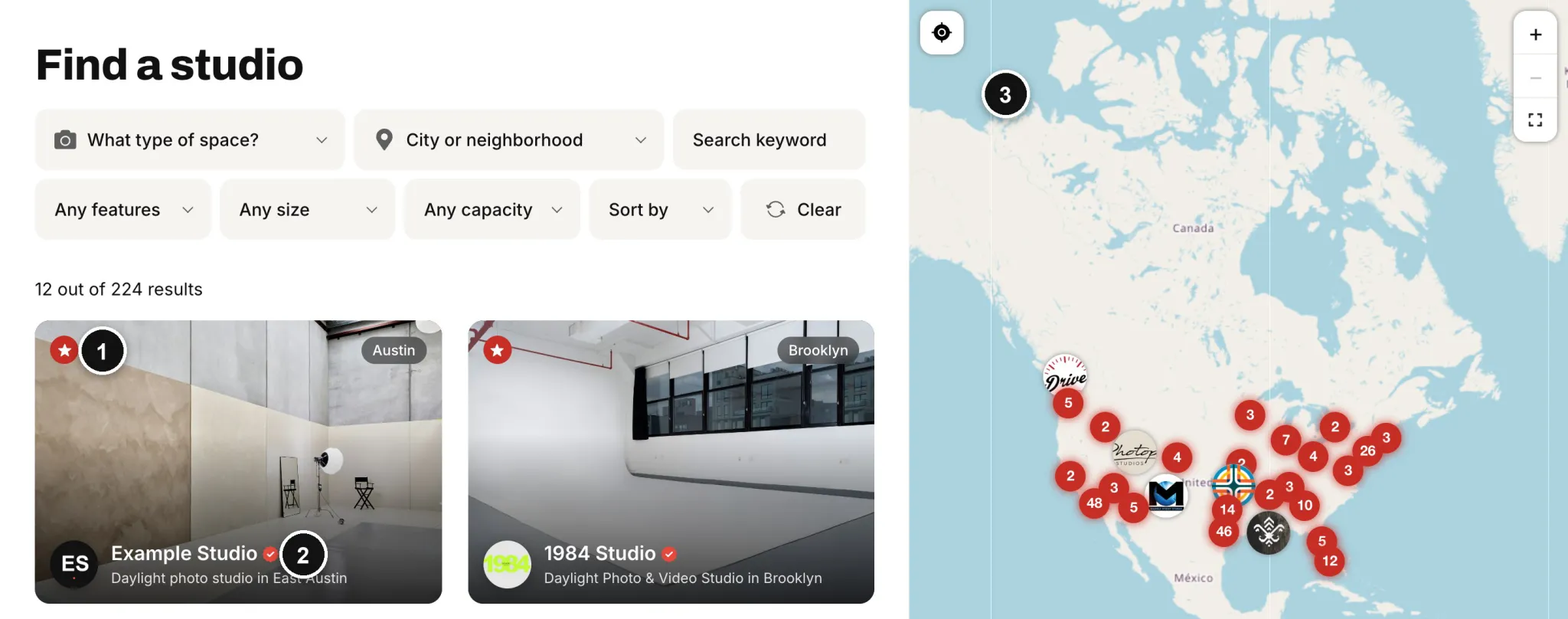
Featured star
Featured studios come first and carry a star.
2
Verified badge
Shown on every paid listing.
3
Map
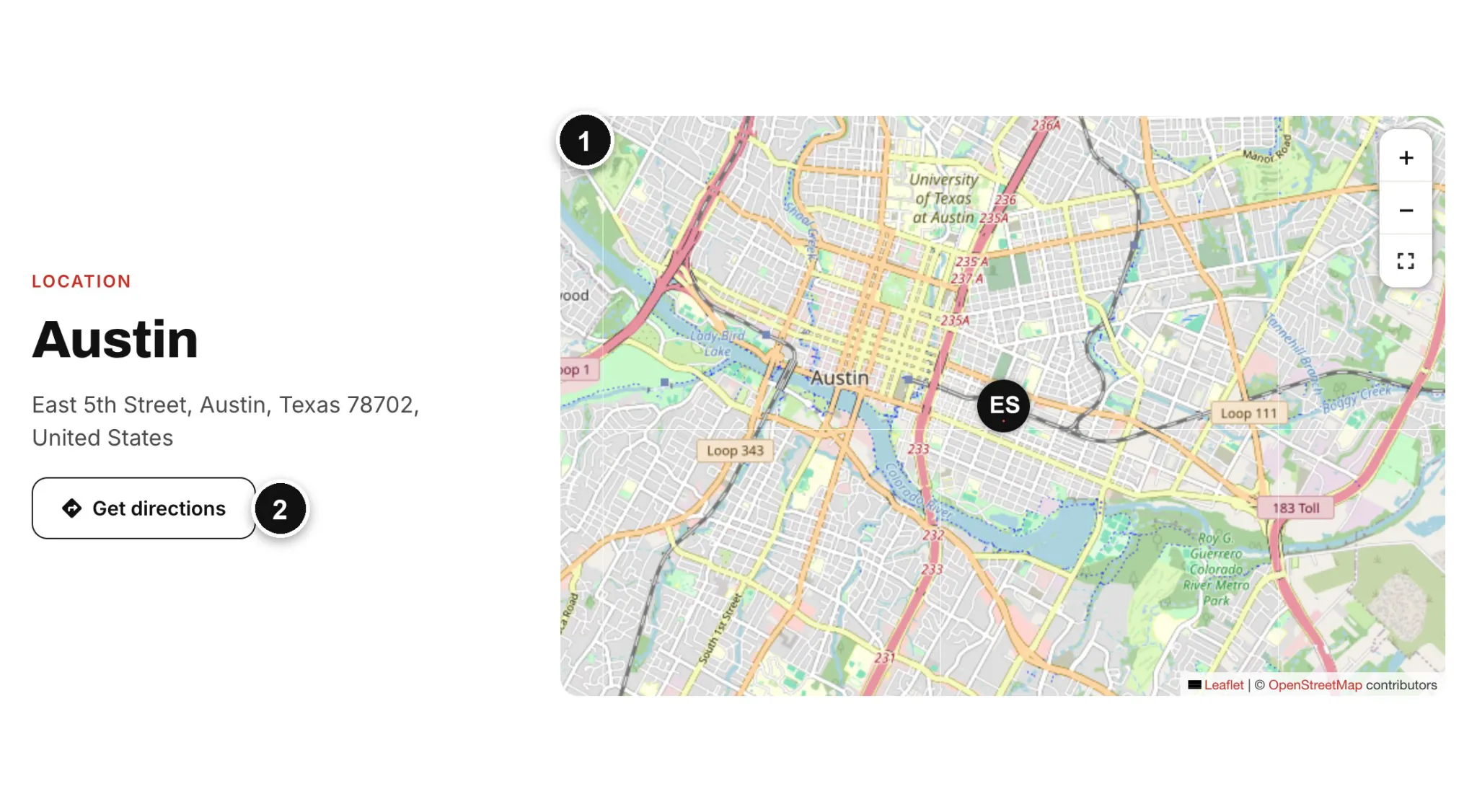
Every studio is pinned on the map beside the results.
Listing stats
Monitor your listing's traffic
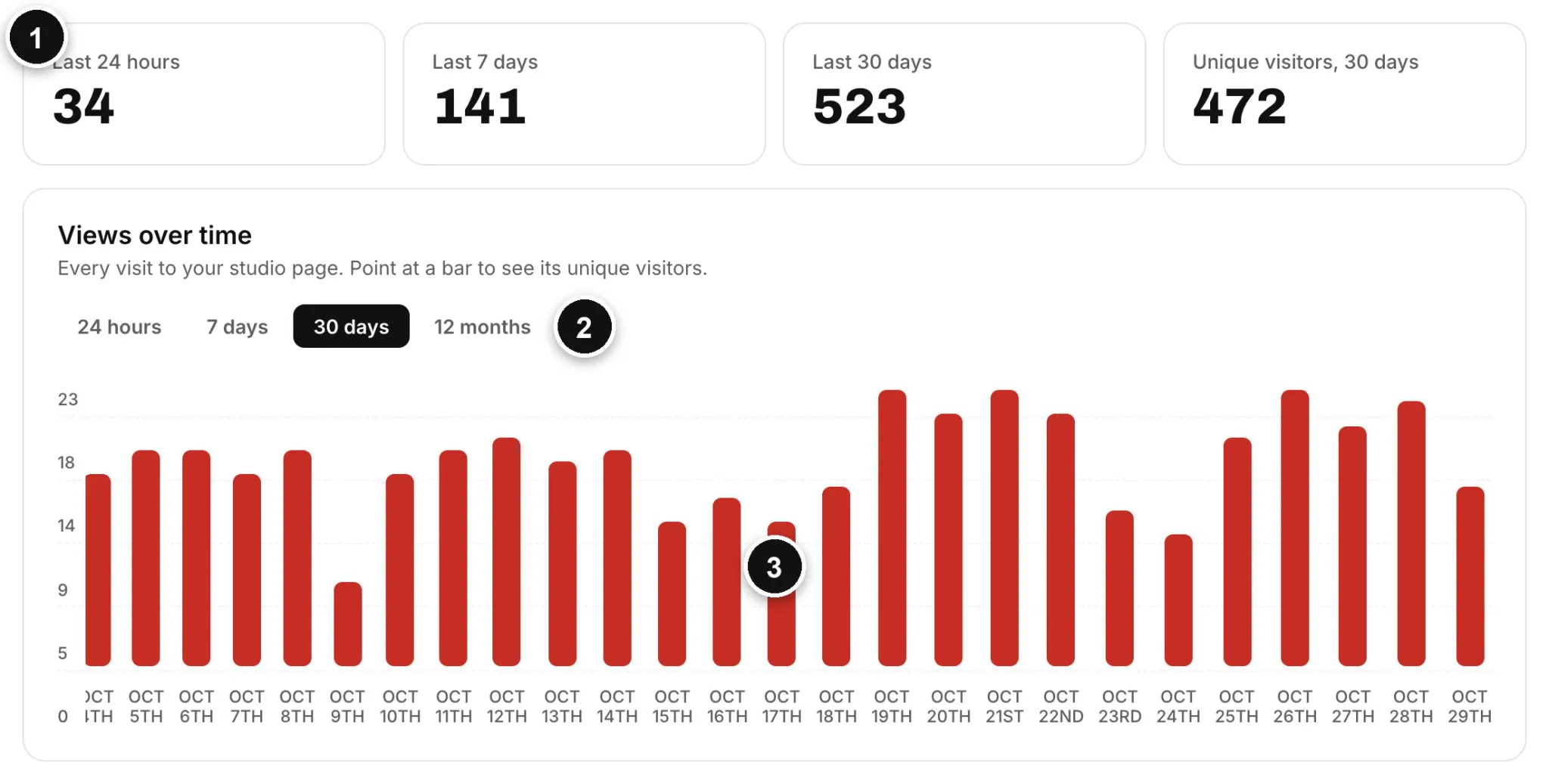
Every listing comes with a stats page. See how many people viewed your studio page, how that changes over time and where your visitors came from. We track page views only, and the numbers update every hour.
Views over time
1
Views at a glance
Page views in the last 24 hours, 7 days and 30 days, and unique visitors over 30 days.
2
Choose the period
Chart your views over 24 hours, 7 days, 30 days or 12 months.
3
Point at a bar
See the views and unique visitors for that day.
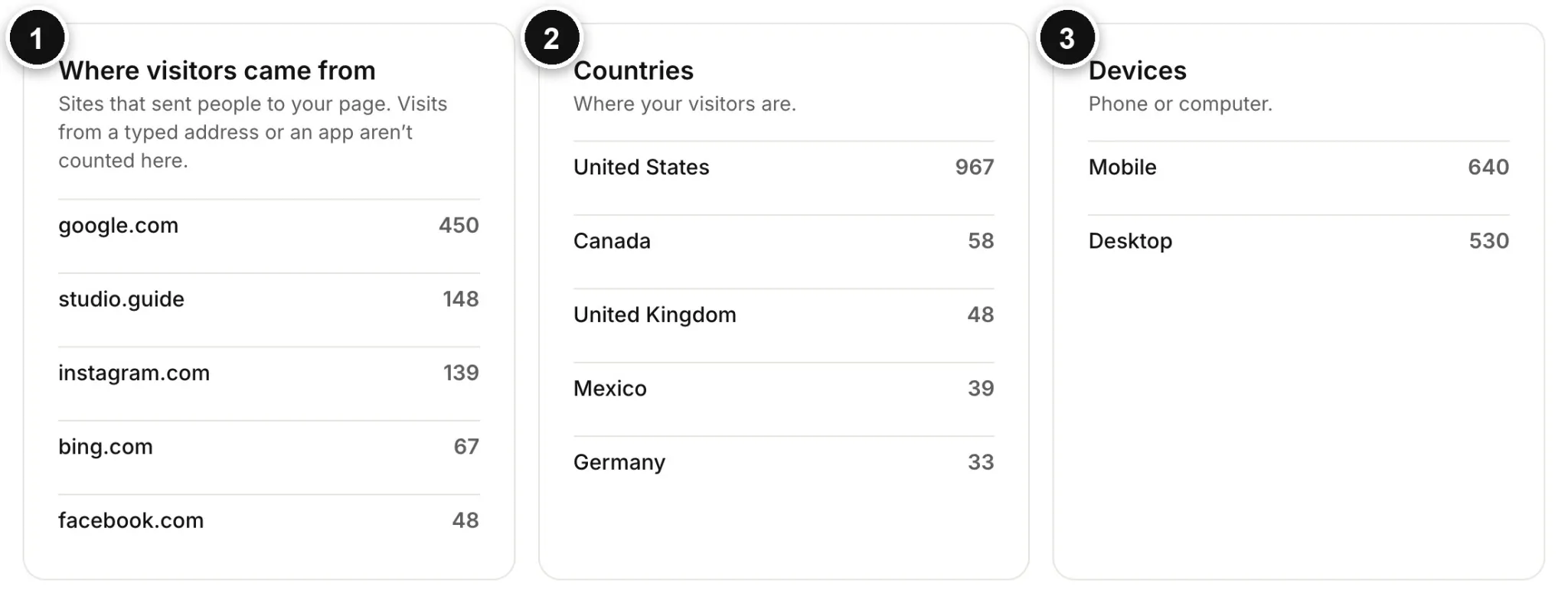
Where visitors came from
1
Referring sites
The sites that sent people to your page, such as Google, Instagram or Studio.Guide itself.
2
Countries
Where your visitors are.
3
Devices
How many visited on a phone and how many on a computer.
Marks featured studios wherever their card appears.
2
Verified badge
Included in both plans.
Listing standards
A curated guide
Studio.Guide is curated, so it stays useful for the people who book studios. We reserve the right to decline any listing.
Every listing is reviewed
We check each listing before it is published. Not every listing is approved.
Incomplete listings wait
We may hold a listing until it is complete, for example until it has photos and contact details.
Our editors may make changes
We may edit descriptions, studio types and features, so your studio shows up in the searches that match it.
Working for your visibility
While you are a member, we work to increase your studio’s visibility in every way we can.
Already listed?
Your studio may already be on Studio.Guide
To make the guide useful from the start, we have added many studios ourselves. Their pages say they were curated by Studio.Guide.
Something wrong on your page? Email [email protected] with your studio’s name and what you would like changed.
Want to manage it yourself? Use Claim this profile on your studio’s page and choose an annual plan. You get the verified badge and stats, and you can edit every detail.
On every page we maintain. It explains your options, then takes you to the plans.
Questions
Questions studio owners ask
How much does it cost?
Annual Listing is $79 a year and Annual Featured Listing is $149 a year. There is no setup fee and no commission on bookings.
Do you take a commission or a booking fee?
No. We don’t take bookings or payments, so there is nothing to take a cut of. Clients book and pay you directly.
How do clients book my studio?
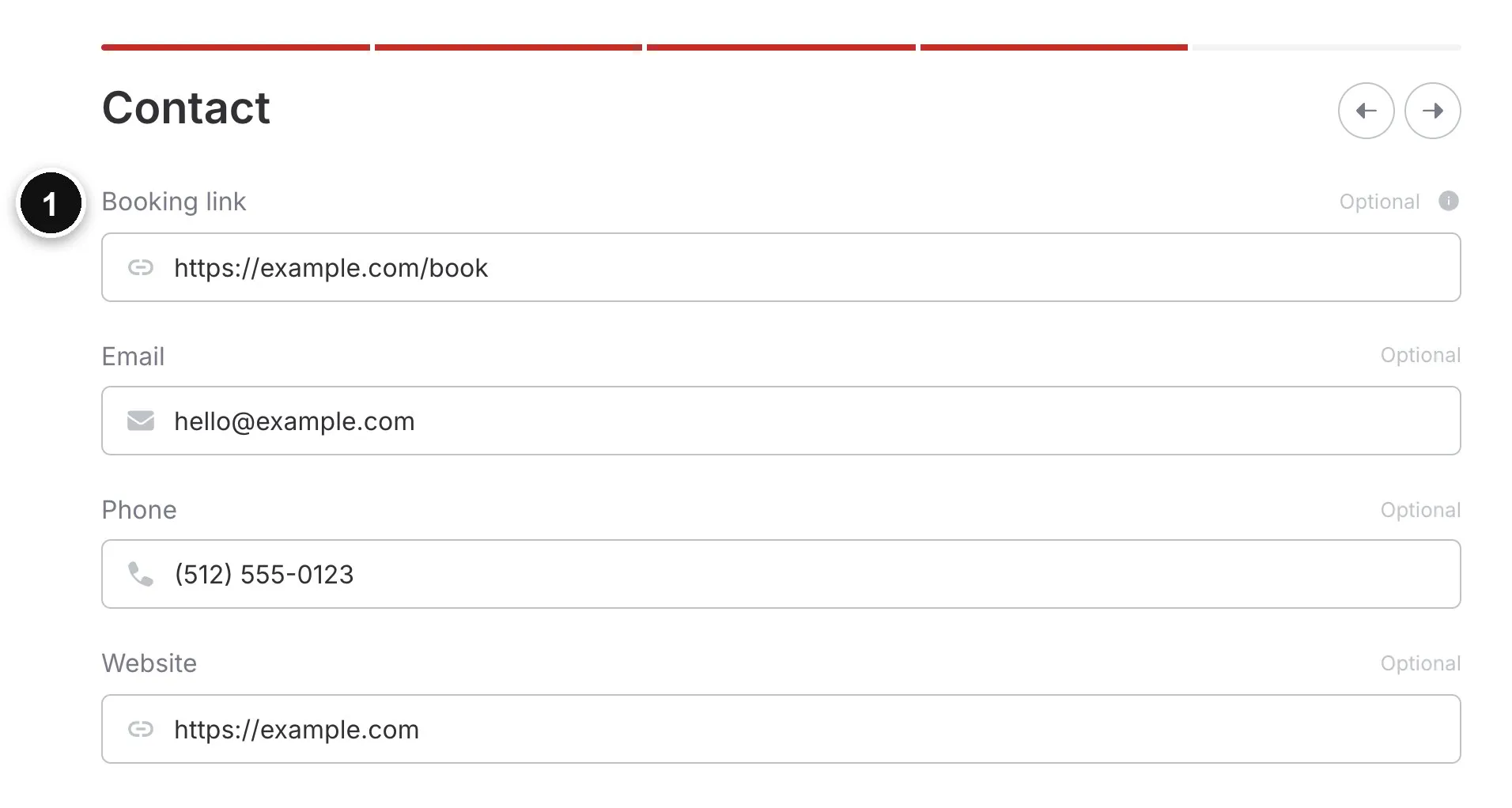
From your profile. Check availability opens your booking page, and clients can also email you, call you or visit your website. Each button appears when you add that detail.
What if I don't have an online booking page?
You don’t need one. Without a booking link, clients reach you by email, phone or your website.
Can I list more than one studio or location?
Each plan covers one studio listing, so add a plan for each location. Several stages or rooms at the same address can go on one listing as Spaces.
When does my listing go live?
After we review it. We publish a listing once it is complete and meets our standards, and you can follow its status under My studios.
Can I edit my listing later?
Yes. Changes to a live studio are reviewed before they appear, and your current listing stays up in the meantime.
How does billing work?
Your plan renews once a year, on the date you signed up, until you cancel. Each renewal is charged to the card you paid with.
Can I cancel?
Yes. Turn off renewal any time from your order under Orders. Your studio stays listed until the end of the year you have paid for.
Can I switch to Featured later?
Yes. Use Change plan on My studios, and Stripe charges or credits the difference for the rest of your year.
What does the verified badge mean?
It marks a listing that belongs to a paying member, who keeps its details up to date. Both plans include it.
What do the stats track?
Page views only: views of your studio page in the last 24 hours, 7 days and 30 days, unique visitors, a chart of views over time, and the sites, countries and devices your visitors came from. Clicks on your buttons are not counted.
Do you list studios outside the US?
Yes. Studio.Guide is worldwide, though most studios listed today are in the US.
My studio is already on Studio.Guide. What should I do?
Open its page and use Claim this profile to manage it yourself with an annual plan. To fix something on a page we created, email [email protected] with your studio’s name and what you would like changed.
Plans and pricing
Choose your plan
One flat yearly fee. No commission on bookings. Cancel any time.
The essential foundation. Get your space discovered by local producers, photographers, and podcasters.
Renews yearly, cancel any time
Studio page with photos, video and spec sheets
Map and search placement
Website, contact and social links
Verified studio badge
Featured
Annual Featured Listing
$149
/ yearly
Annual listing with maximum visibility and top priority placement on city guide and map search.
Everything in Annual Listing
Top placement in search, maps and city guides
Editor-written article with a link to your studio
Instagram post highlight
Have an invite code? Enter it on the payment page. Already on Studio.Guide? Find your studio and use Claim this profile on its page instead of adding it again.